Setting Up Rewards V2 (Flexible Rewards)
Create up to 20 rewards with per-reward scheduling, visibility conditions, market targeting, and more.
If you prefer to stay on rewards V1, please see below.
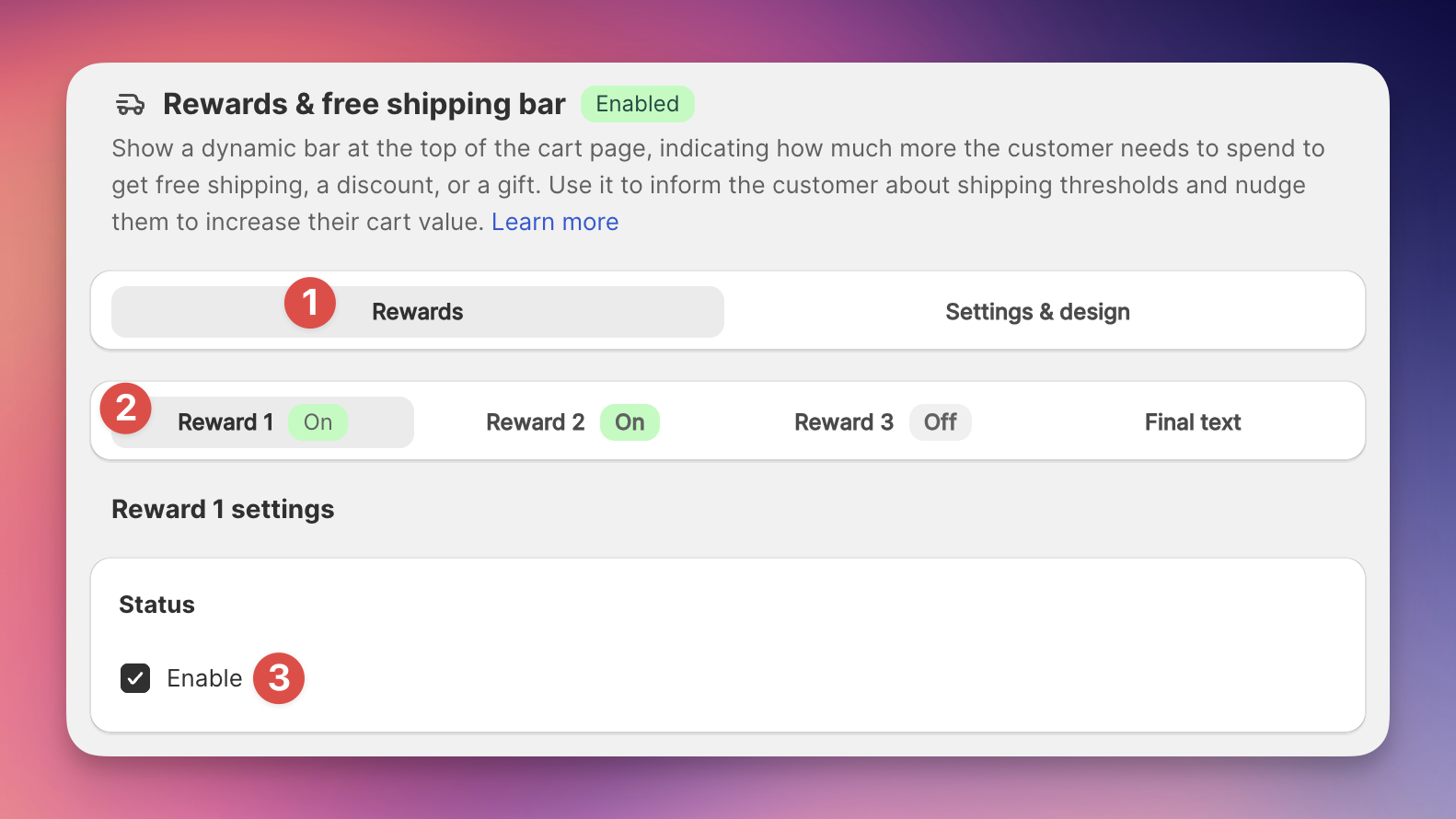
In your EliteCart app settings, go to the Cart Designer, and then navigate to the Rewards & free shipping section.
Select Reward 1 and click Enable to activate the reward.
You can enable up to 3 rewards in total, each with its own settings and Shopify market settings.
Let’s set up our first reward:
There are four Reward Types to choose from:
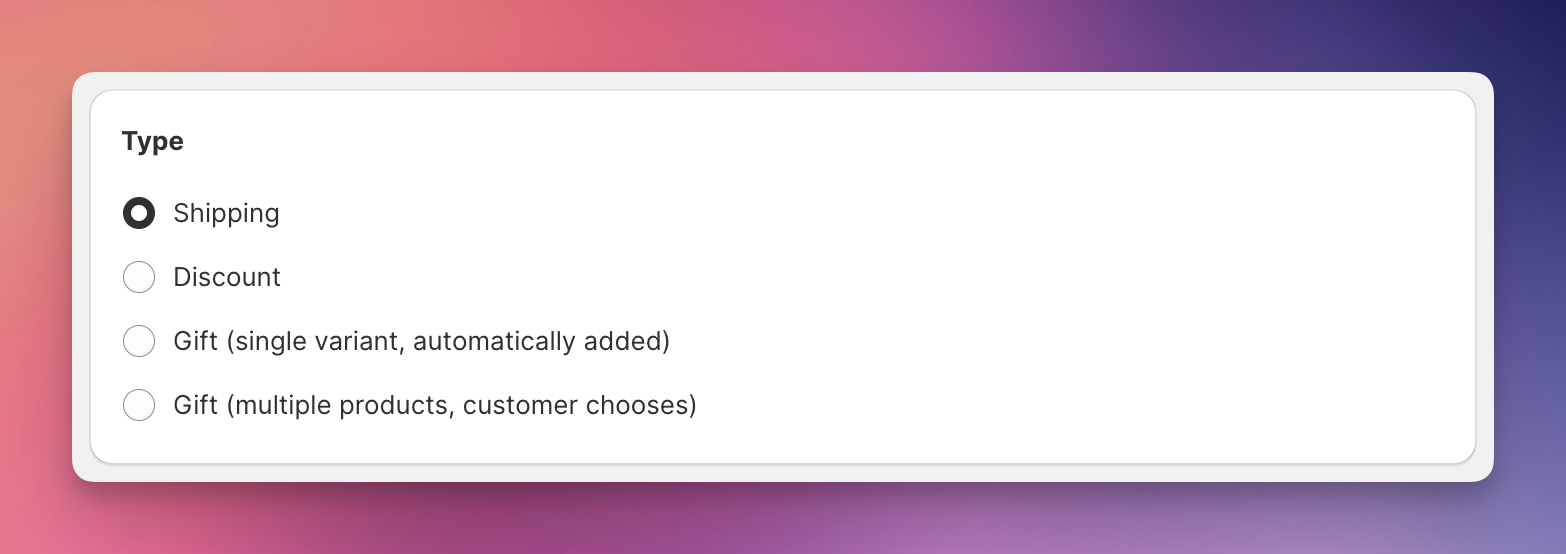
Use it to visualise the shipping settings you have set up in the Shopify Admin Settings.
Example: Spend 100 USD to get free shipping (or "free standard shipping", "free express shipping", "discounted shipping" etc.)
Use it to visualize automatic order discounts of type Spend X get Y.
Example: Spend 100 USD to get 10% off.
Use it to automatically add a gift product once a certain order value is reached. This is a normal Shopify product with price 0.
Example: Spend 100 USD to get a free dust cover.
Use it to show a choice of several products to your customer as soon as the order threshold is reached. This could be a choice between several product sizes, tastes, or similar. The options will be displayed in either a modal (popup) or in a carousel within the cart, once the customer reaches the threshold.
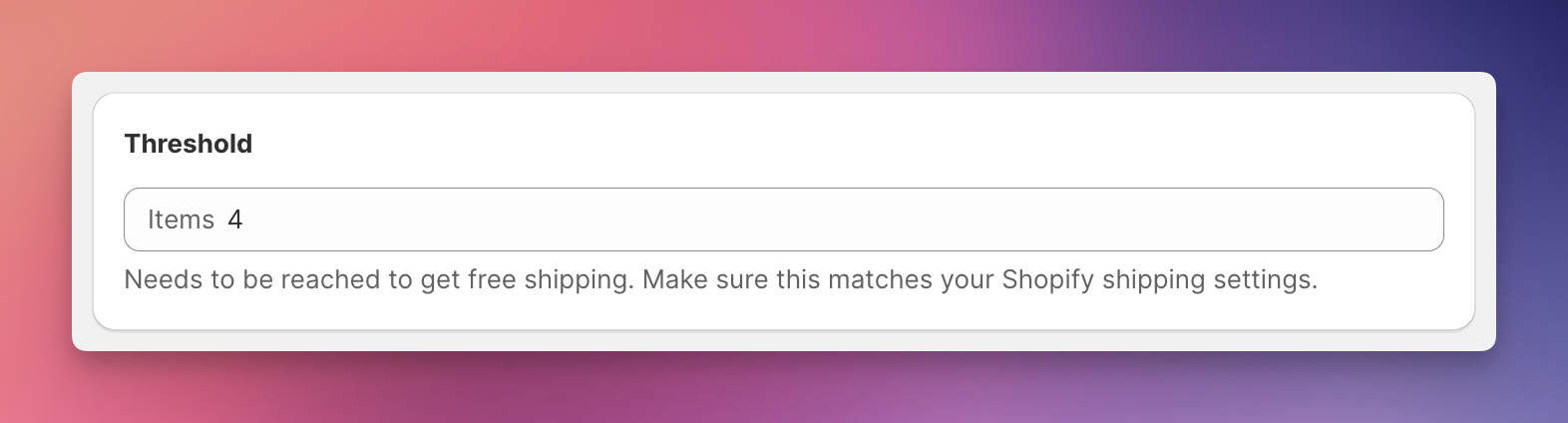
The threshold is the order amount that a customer needs to reach to qualify for the reward. To set the threshold, enter the desired threshold amount in the "Threshold" field. For example, if you want to offer free shipping for orders over $100, enter "100.00".
The threshold is always set in your store's default currency. EliteCart will automatically convert and display the correct amount based on the customer's location and currency, unless you have set specific thresholds per market.
The conversion behaviour is in line with Shopify's setup of Shipping Thresholds. E.g. if you have set up to offer "free shipping over 100USD", but a customer from the UK who purchases in GBP will get free shipping over the respective converted amount (say 80GBP). This conversion is done in the Shopify checkout and in the exact same way also by EliteCart. You can additionally set up Shopify Markets settings, see below.
You can also utilise our advanced Shopify Markets settings to set up different thresholds for specific countries or shipping zones, ensuring that your shipping is correctly reflected for different markets. Read more details about these settings here:
Shipping Thresholds for Multiple Markets
Setting up shipping thresholds for multiple markets
Discount thresholds are always set in your store currency only. Shopify Markets settings are not available for discounts, since Shopify's automatic discounts can only have their threshold set in the Store's default currency and cannot be deactivated for specific markets either.
Here you can choose your threshold freely, as it is not bound to any Shopify Admin settings. EliteCart adds the gift / offers the gift selection at the threshold you specify.
You can use Shopify Market settings to
limit adding gifts to certain countries
set different thresholds for different countries, e.g. 100USD for the United States and 200€ for European countries.
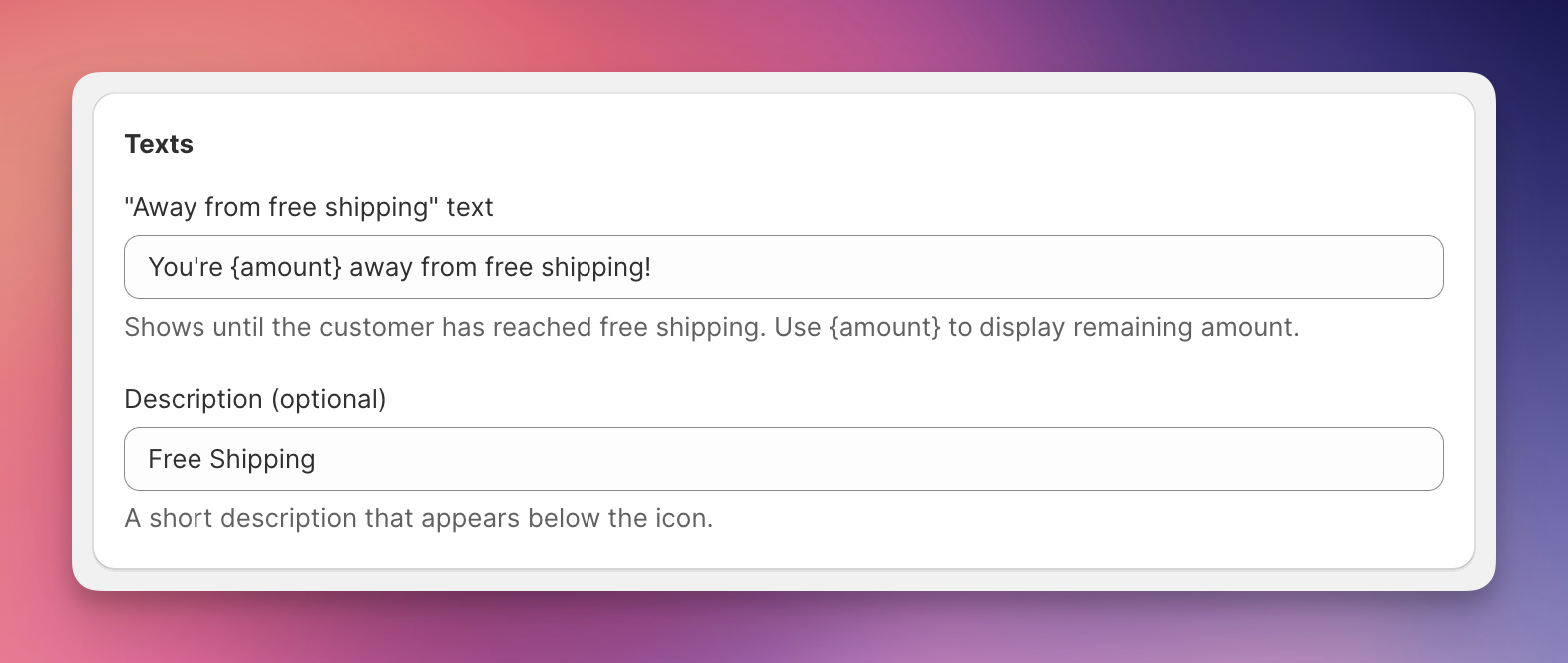
EliteCart allows you to customize the messages displayed in the free shipping bar to better engage your customers. You can edit the following messages:
“Away from reward”: This message can be set up for each reward. It is displayed when the customer's cart total is below the rewards threshold, along with the remaining amount needed. For example, "You're $25 away from free shipping." If you have several rewards set up, EliteCart will show the message of the next reward to reach.
Final Reward Text: This message is shown when the customer's cart total meets or exceeds the final threshold, i.e. the highest of the rewards you have set up. For example, "Congratulations! You've qualified for free shipping."
Be sure to use the {amount} placeholder in the "Away from free shipping / reward" message to dynamically display the remaining amount.
If you have enabled 2 or 3 rewards, you get the possibility to add short descriptions, which will show below each reward, e.g. Free Shipping and 10% off below.
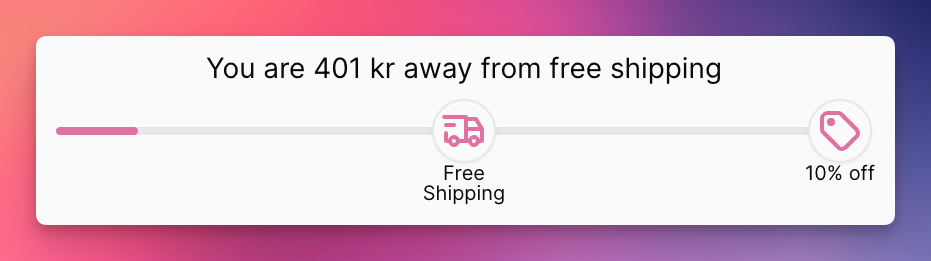
You can set up up to three rewards. Rewards can be combined however you wish. Each reward has its own markets configuration.
Please check this article:
Excluding Products from Reward Calculation
Use tags to exclude products from reward calculation, e.g. digital products