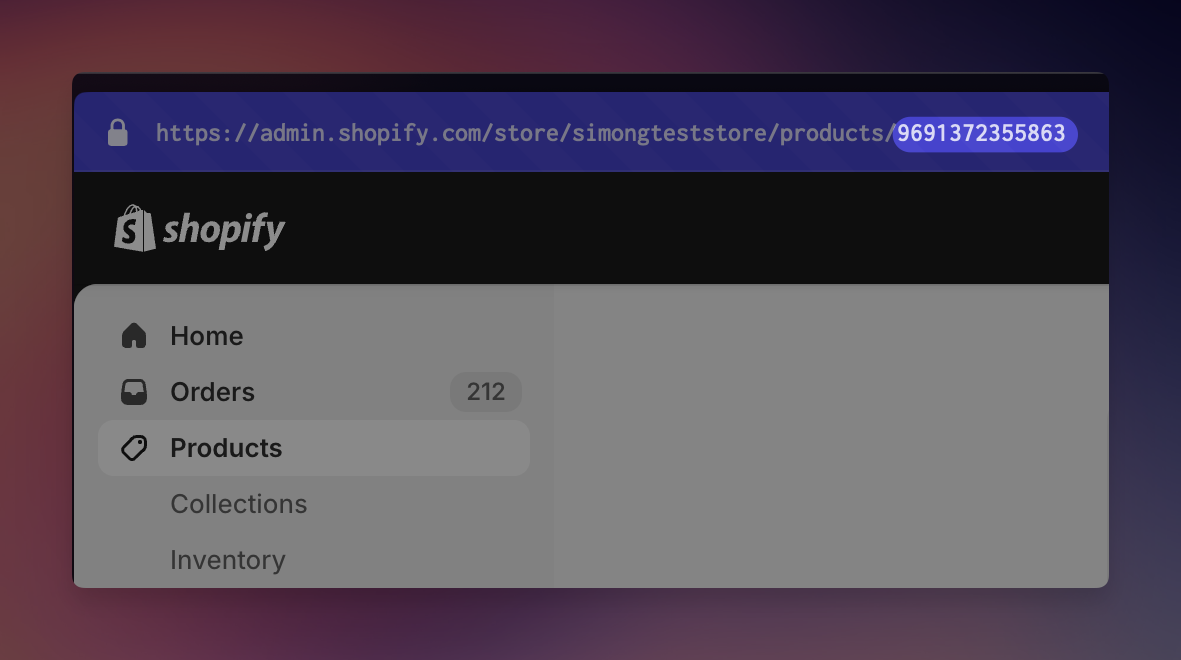
Finding a product ID is simple. Open the product page in your Shopify Admin. Then copy the last number from the URL. That is the product ID.
If your product has multiple variants, go to the variant page and extract the variant ID from the URL:
Open the product page in your Shopify admin.
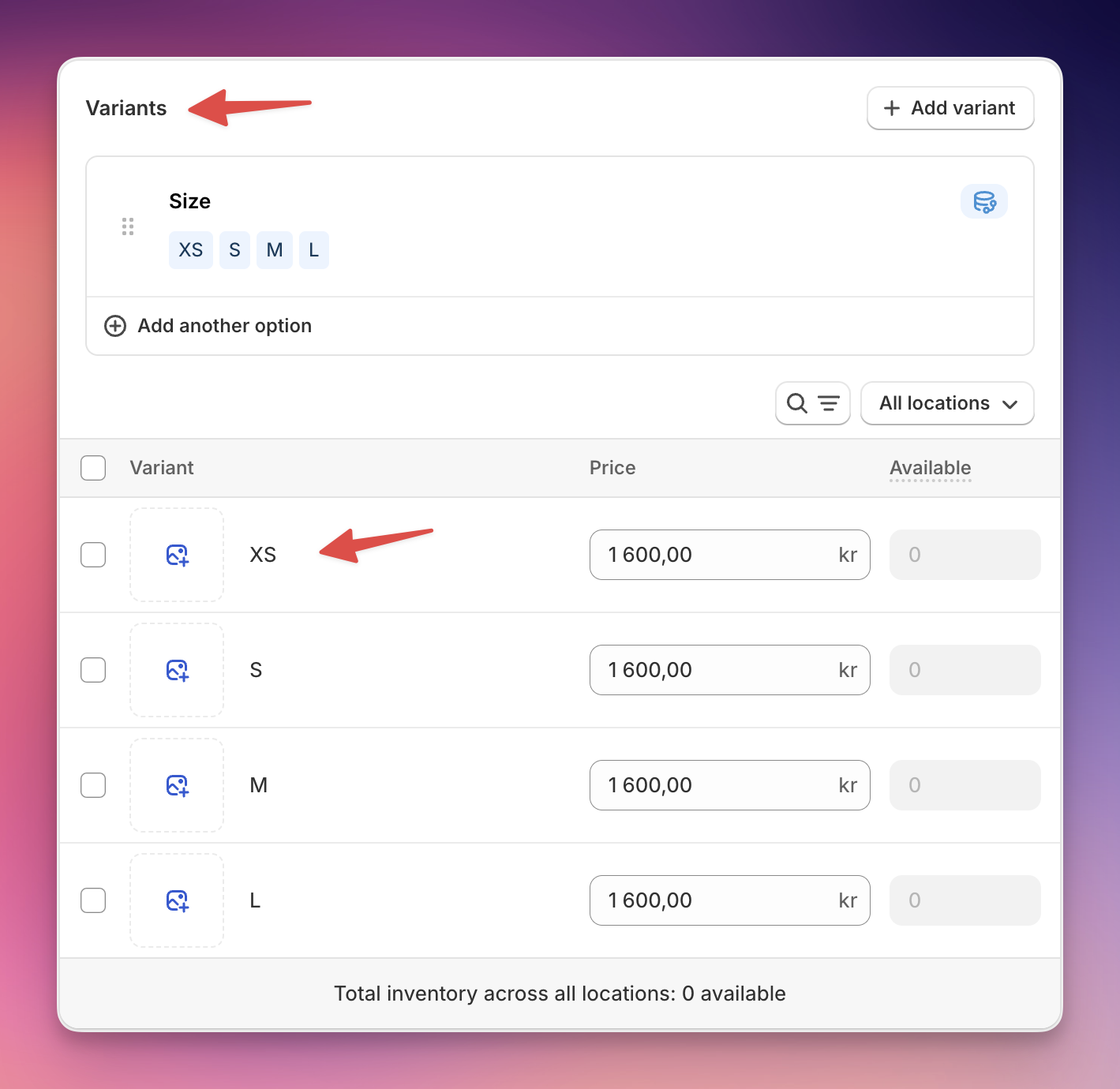
Find the Variants section
Click on the variant you would like to have, e.g. XS
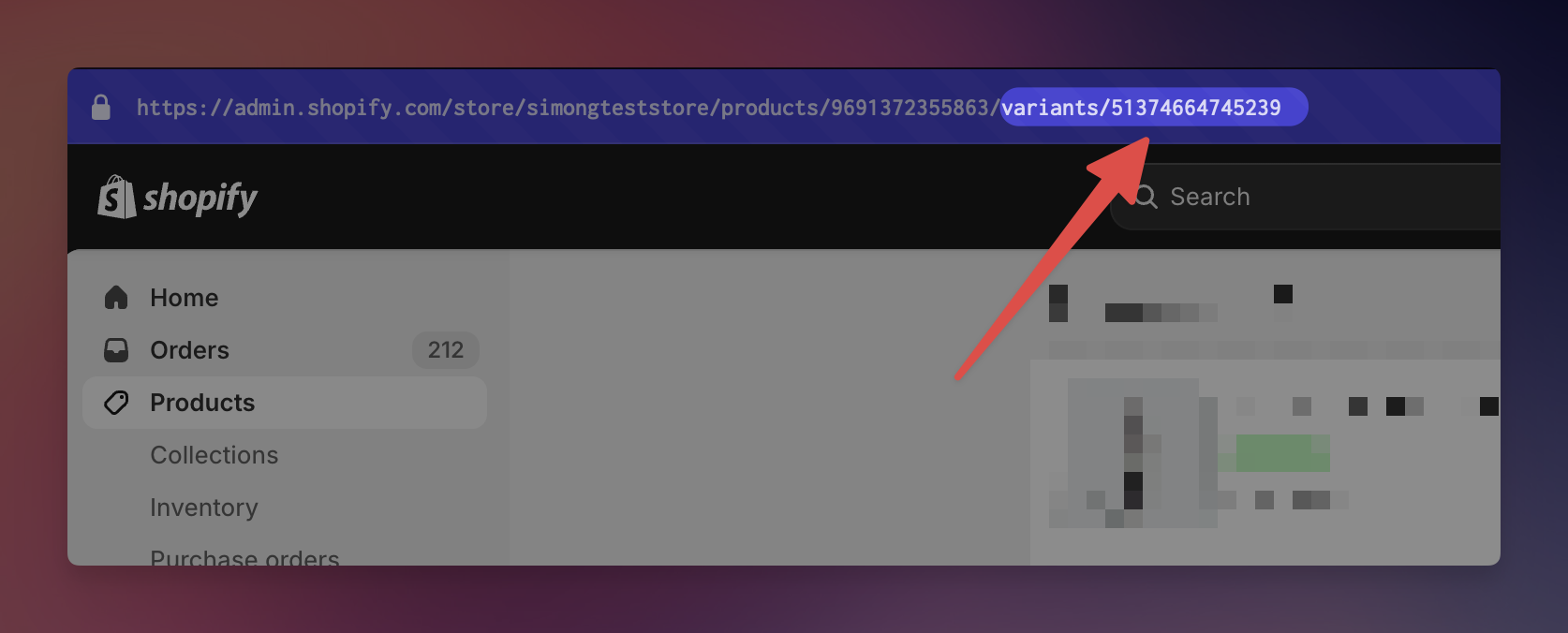
Copy the last number, which follows variants/
Make sure it’s not the number following products/
Even if your product does not have any variants, in reality it always has one variant. Finding it can be a bit tricky though. This is how you do it:
Visit the product page in Shopify admin, e.g. https://admin.shopify.com/store/myStore/products/10028233720087
In the URL-bar, add .json to the end, e.g. https://admin.shopify.com/store/myStore/products/10028233720087.json
Load the page. You will see a bunch of text (this format is called Json).
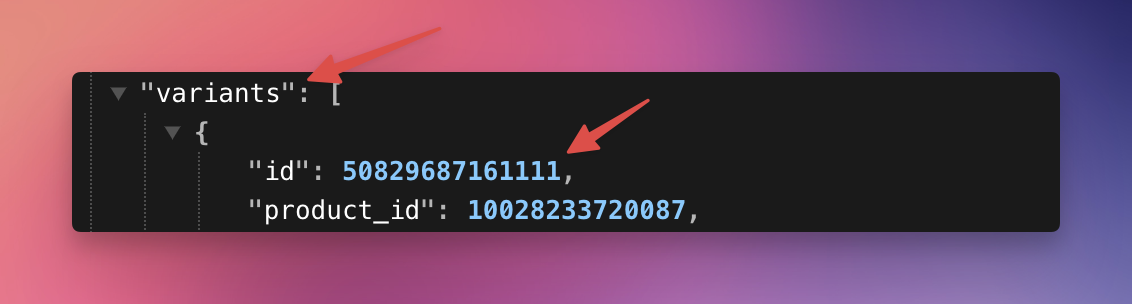
Find “variants”: [ . Then copy the “id” from below
Important: Do not copy the product_id, but id). In below example this is 50829687161111.